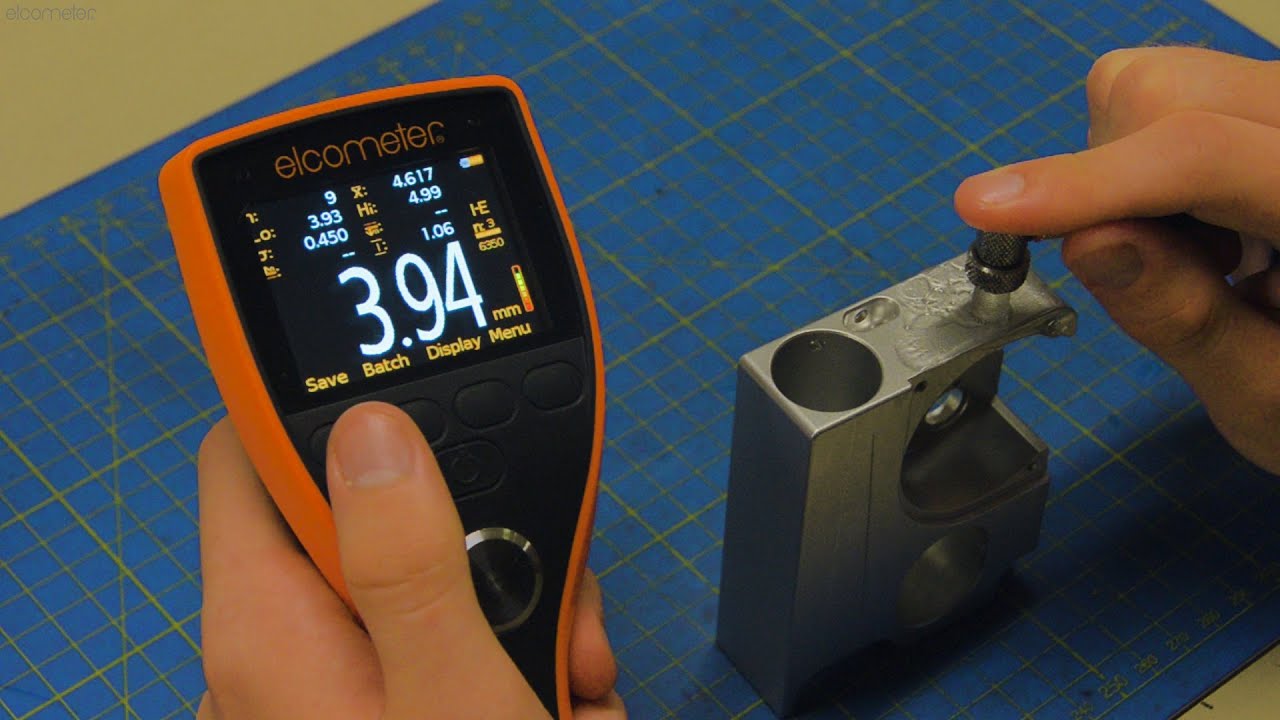
How to do a Grid Corrosion Inspection using the Elcometer MTG8 & PTG8 It is vital to do regular non-destructive testing using an ultrasonic thickness gauge, to inspect for corrosion throughout the service life of an asset; such as a pipeline, a pressure vessel, or a storage tank for example.
One way of doing this inspection, is to use a grid. Using a grid allows you to inspect large areas in an organised way, clearly mark and identify areas of concern, and helps you easily report to the asset manager exactly where corrosion is occurring. Also, by repeating grid-based inspections in the same location over time, this allows you to predict corrosion rates, and perform preventative maintenance to avoid a breakdown.
This video takes you through how to do a grid corrosion inspection, and how the Elcometer MTG8 and Elcometer PTG8 make it easy to complete and report your grid-based corrosion inspection, with the help of ElcoMaster.
0:00 - Introduction
0:50 - Grid Batching
1:29 - Creating your Grid
2:05 - Setting up a Grid Batch
3:01 - Completing your Inspection
4:00 - Reporting your Corrosion Inspection
To help you undertake and report grid-based corrosion inspections quickly and easily; the Elcometer MTG8 Material Thickness Gauge, designed for measuring both coated and uncoated materials; and the Elcometer PTG8 Precision Thickness Gauge, designed to measure thin uncoated materials; both come with Grid Batching, which allows you to save your readings instantly into a grid making it easy to complete and report your inspection.
A batch is a group of readings, which could be saved sequentially or into a grid format, and you can have multiple batches which represent multiple locations around your asset.
To get started, draw your grid on the area to be inspected. The size of your grid, where you place it, and how many grids you use on one asset, will be dependent on what it is you are inspecting, on the job specification, and/or customer requirements; but typically once you’ve marked out your grid, you label your columns as letters, and your rows as numbers, just like a spreadsheet.
With your grid complete you then set up the Elcometer MTG8 or PTG8 with a corresponding grid batch.
Once complete, simply take a reading in each square as instructed by the gauge, with the grid reference updating after each saved measurement, and the reading stability indicator ensuring you only save accurate and reliable measurements.
Sometimes, when undertaking a grid inspection, it’s not always possible to take a reading in every square, or cell, due to obstructions; such as weld seams, valves, or coating irregularities. When this happens - for example here we have a weld seam in square A6 and can’t take a reading - simply press the Obstruction button, which is available to press when the gauge is not receiving a signal from the transducer. Pressing this button allows you to put an Obstruction label in the Grid Cell, so you can clearly report that it was not possible to take a reading in that particular square. The gauge then moves on to the next grid cell, and you continue taking measurements as normal.
And, once you have completed your grid, the gauge lets you know, and closes the batch. But even though the inspection is done, it doesn’t stop there, as it’s what you do with the readings that counts.
If you connect your Elcometer MTG8 or PTG8, via USB or Bluetooth, to ElcoMaster, Elcometer’s free software application, you can transfer your grid batch with full statistics, calibration information, and limits, and add any additional notes and photographs; and then instantly create a professional inspection report that can be sent out before you’ve even left the site.
For more information on the Elcometer MTG8 Ultrasonic Material Thickness Gauge and Elcometer PTG8 Ultrasonic Precision Thickness Gauge, please contact Elcometer at sales@elcometer.com, or visit our website: https://www.elcometer.com/en/ndt-equipment.html
----
Click here to download the video script in English: https://www.elcometer.com/pub/media/PDF/Video_Scripts/Grid_Corrosion_Inspection_MTG8_PTG8.pdf
-----
STANDARDS:
Elcometer MTG8
ASTM E797, EN 14127, EN15317
Elcometer PTG8
EN14127, EN15317